





How to Fix the Emergency Download Screen on VW, SEAT and Skoda
If your infotainment system is stuck on the Emergency Download (red or blue) screen, it can look like the unit has failed completely. In many cases, though, this fault is recoverable without replacing the headunit.
This issue is commonly seen on certain VW, SEAT and Skoda vehicles using compatible MST2 systems. If your screen is showing an Emergency Download error and the unit no longer loads normally, there is a dedicated recovery solution available.
What is the Emergency Download screen?
The Emergency Download screen is a recovery fault state that can appear when the infotainment firmware is no longer loading correctly. Owners often assume the unit is permanently damaged, but that is not always the case.
On supported systems, it is often possible to restore normal operation using the correct recovery method for that unit.
Which vehicles can this affect?
This issue can affect certain VW, SEAT and Skoda MST2 headunits. If your vehicle is showing the Emergency Download screen and the system will not boot normally, this is the exact type of fault our recovery product is intended to address.
Because software versions and vehicle setups can vary, it is important to use the correct solution for your specific unit.
Common signs you may need this fix
- Your infotainment system is stuck on an Emergency Download screen
- The unit no longer starts as normal
- The screen may appear red or blue depending on the vehicle
- You want to avoid unnecessary dealer costs or headunit replacement
Can the Emergency Download fault be fixed?
Yes, on supported MST2 systems this fault can often be resolved using a dedicated recovery solution. That means there may be no need to replace the unit or pay main dealer prices for a problem that is often restorable.
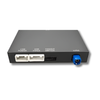
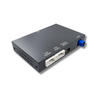
Our product is designed specifically for this issue and is supplied for compatible vehicles only.
Why use a dedicated recovery product?
- Avoid the cost of replacing the infotainment unit
- Use a solution intended specifically for the Emergency Download fault
- Suitable for supported MST2 systems across VW, SEAT and Skoda
- A faster and more cost-effective route than unnecessary hardware replacement
Important before ordering
This solution is intended for compatible vehicles only. If your headunit is showing the Emergency Download screen, make sure you select the correct product for your system.
If you are unsure, contact us before purchase and we can point you in the right direction.
Frequently asked questions
What does the Emergency Download screen mean?
It means the infotainment system has entered a firmware recovery fault state and is no longer loading normally.
Does this mean my headunit is dead?
No, not necessarily. In many supported cases, the unit can be recovered without replacement.
Will this work on every VW, SEAT or Skoda?
No. This is for compatible MST2-based systems affected by the Emergency Download fault.
Do I need to replace the unit?
Often, no. Many owners assume replacement is the only option, but a proper recovery solution is usually far more cost-effective.
How do I get the correct fix?
The best option is to use a product designed specifically for the Emergency Download issue on supported MST2 systems.
Need to fix the Emergency Download screen?
If your VW, SEAT or Skoda infotainment system is stuck on the Emergency Download screen, there may be a straightforward recovery solution available.